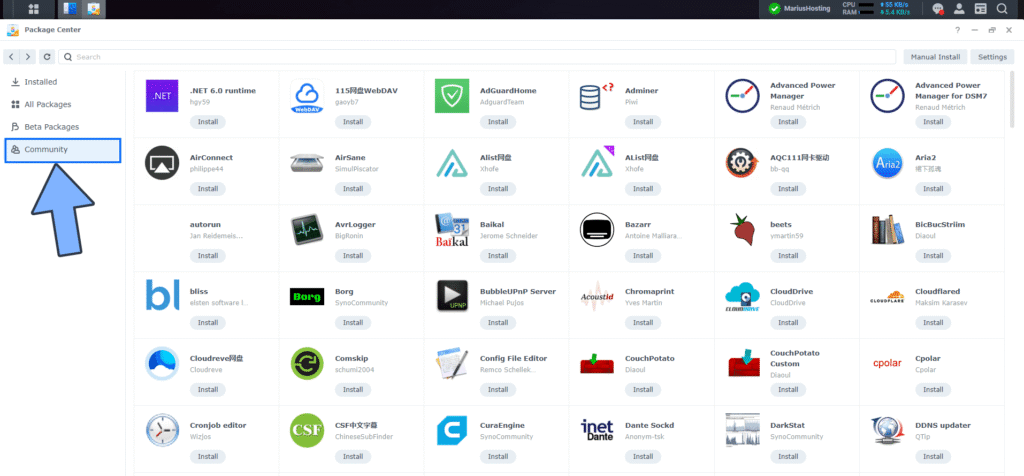
Were you aware that you can expand your Synology Package Center by adding third-party packages developed by various enthusiast Synology communities? In today’s article I will explain to you how to add packages developed by third parties to Synology Package Center which can be easily installed with a single click and without docker.
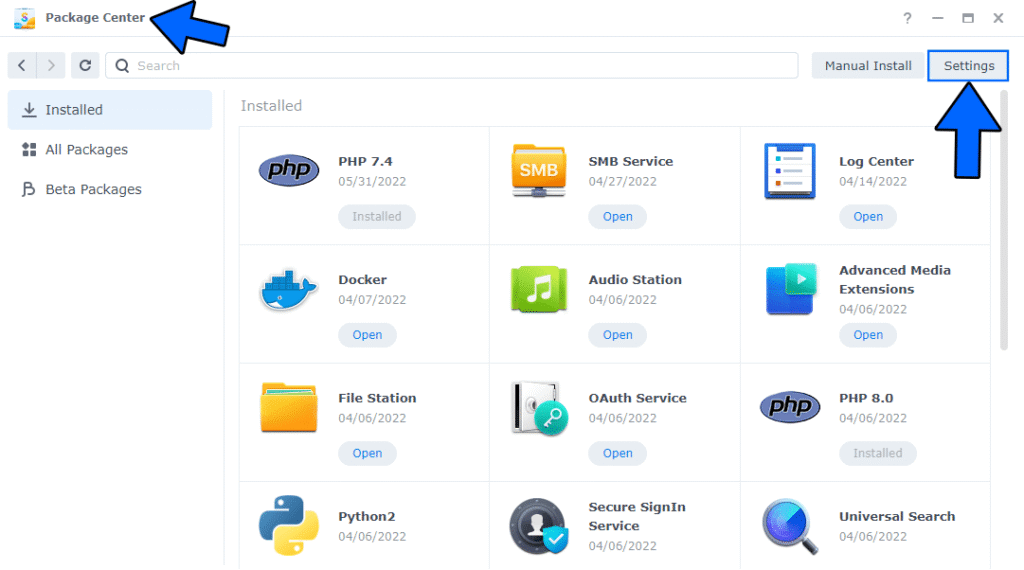
- STEP 1 Open Package Center. At the top right click Settings. Follow the instructions in the image below.
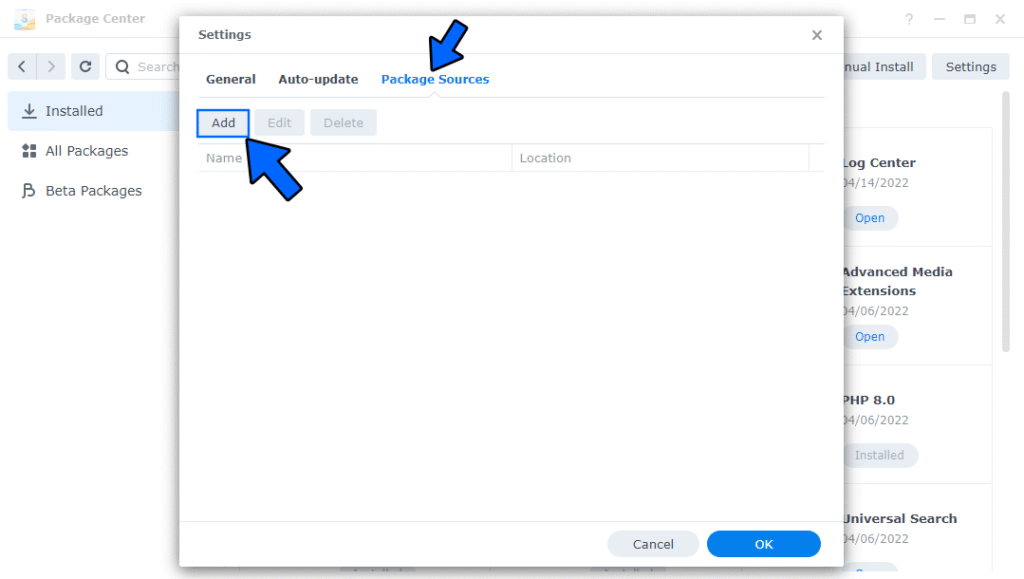
- STEP 2 Go to the Package Sources tab, then click Add. Follow the instructions in the image below.
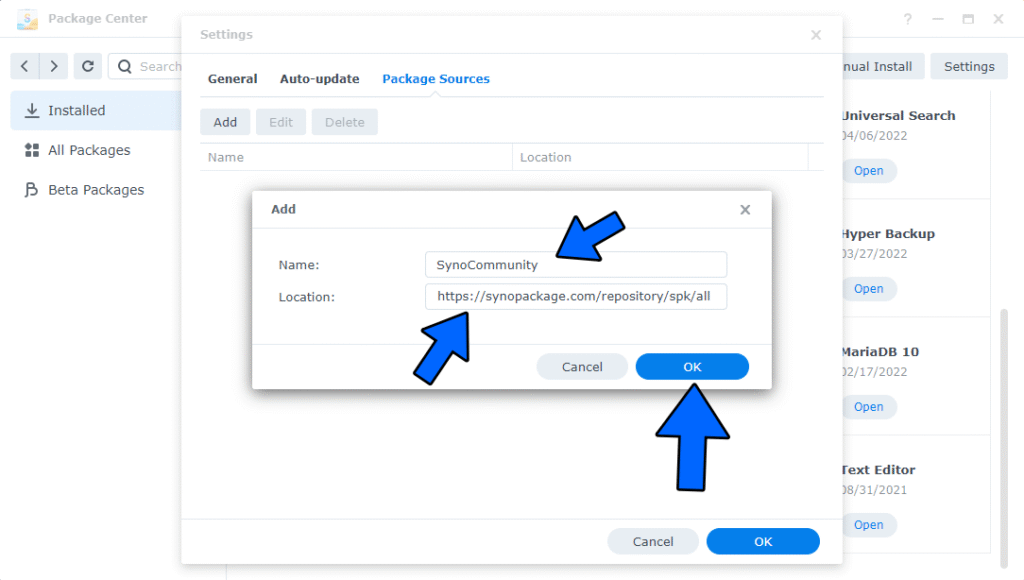
- STEP 4 In the Name field type in: SynoCommunity
- In the Location field type in: https://synopackage.com/repository/spk/all
- Click OK. Follow the instructions in the image below.
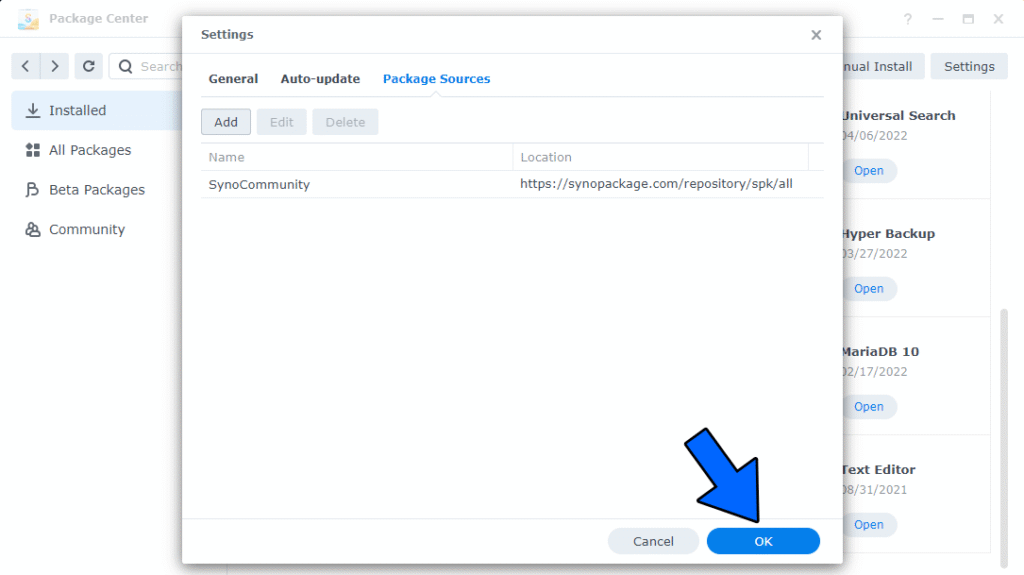
- STEP 4 After correctly adding Package Sources, click OK. Follow the instructions in the image below.
STEP 5 Once you click OK at STEP 4, a new “Community” section for packages will automatically appear in the left sidebar of your Package Center. Click on it to discover the new packages. Follow the instructions in the image below.