History of Kodi – From Xbox to Streaming Powerhouse
Kodi has one of the most interesting stories in digital media. What started as a small homebrew project for the original Xbox has grown into one of the most widely used open-source media platforms in the world.
The Beginning: Xbox Media Player (2002)
In 2002, a small team of developers built an app called Xbox Media Player (XBMP). It was designed to let users play music and video files directly on their original Xbox console — something that wasn’t officially supported at the time.
The app became a hit among tech enthusiasts because it turned a gaming console into a complete home theater system. This early success laid the foundation for what would later become Kodi.
The Transition to Xbox Media Center (2003–2014)
A year later, the project was improved and renamed Xbox Media Center (XBMC). This new version introduced network streaming, better navigation, and the ability to change the interface using custom “skins.”
XBMC quickly became one of the most popular open-source media players of its time. As the years went on, developers ported it to other operating systems like Windows, Linux, and macOS — expanding its reach far beyond the Xbox.
The Birth of Kodi (2014)
In 2014, the XBMC Foundation officially renamed the project Kodi. The rebrand marked a major shift — Kodi was no longer tied to the Xbox name or console platform. It had become a truly cross-platform media player that could run on almost any device, including Android TV boxes, Firestick, and even Raspberry Pi.
With the new name came a wave of improvements, including better video playback, more addon support, and an easier interface for first-time users.
Kodi’s Modern Era (2015–2025)
Since the rebrand, Kodi has continued to evolve into a powerful entertainment hub. The release of versions like Kodi 18 Leia, Kodi 19 Matrix, Kodi 20 Nexus, and now Kodi 21 Omega introduced better performance, new streaming options, and smoother integration with services like Real-Debrid and Trakt.
Kodi now supports 4K playback, custom builds, and advanced features like IPTV and retro gaming. Millions of people around the world use it every day as their main media center.
Why Kodi Still Stands Out
Kodi has survived for over two decades because of what it represents — freedom, customization, and community.
- It’s completely open-source, so anyone can improve or modify it.
- It works on nearly every platform imaginable.
- It’s powered by thousands of community developers and users who continue to add new features, skins, and addons.
From a simple Xbox media player to a full streaming powerhouse, Kodi’s journey shows what’s possible when technology and community come together.
What is Kodi?
Kodi is a free, open-source media player that transforms any compatible device into a powerful home entertainment system. It’s available for Windows, macOS, Linux, Android, iOS, and more.
Because Kodi is open-source, it doesn’t show ads, doesn’t cost anything, and can be customized endlessly. However, the true magic of Kodi comes from addons and builds — tools that expand its functionality far beyond its basic interface.
With the right setup, you can stream:
- Movies and TV shows
- Live television
- Music and radio
- Retro games and emulators
- Your own local media files
Why Kodi Is So Popular
Kodi stands out for three major reasons:
- Freedom and flexibility – No subscriptions or hidden costs.
- Customization – Thousands of addons and skins to personalize your experience.
- Device compatibility – Works on nearly every platform, from Firestick to Android TV.
Millions of users worldwide rely on Kodi as a cable-cutting solution, replacing traditional TV with on-demand and live-streaming options.
Essential Kodi Terms
Here’s a quick glossary of Kodi terms to help you navigate the platform:
- Addon: Extensions that give Kodi access to content like movies, shows, and live TV.
- Build: A preconfigured version of Kodi that includes multiple addons and a custom interface.
- Repository (Repo): A source that stores addons for installation.
- Wizard: A tool for maintenance, installing builds, or optimizing performance.
- Skin: The visual interface or “theme” of Kodi.
- IPTV: Internet-based live TV channels integrated into Kodi.
- VPN: A Virtual Private Network used to protect your identity and secure your connection.
- Real-Debrid: A paid service that provides high-quality streaming links.
Best Devices for Kodi
Kodi works on a wide range of devices, but some perform better than others. Here are the top picks for 2025:
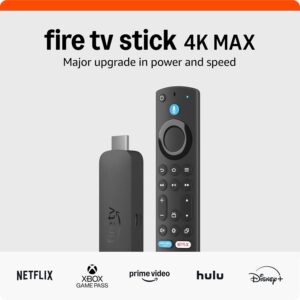
Amazon Firestick
The most popular option thanks to its price, portability, and ability to sideload Kodi easily. Perfect for cord-cutters who want a simple plug-and-play solution.
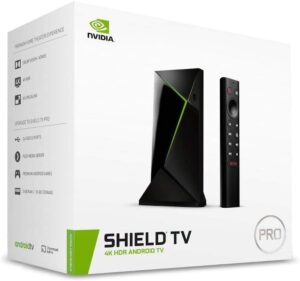
NVIDIA SHIELD TV
A powerhouse for advanced users. With extra storage and processing power, the SHIELD handles Kodi builds and 4K streaming effortlessly.
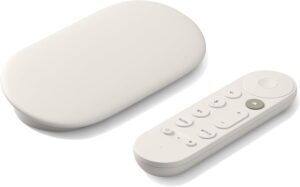
Chromecast with Google TV
Affordable, fast, and integrated with Google’s ecosystem — a great balance between performance and price.